
 Anyone who knows Michael Cioni will not be surprised that he has a new idea. Equally unsurprising, because his brother, Peter, co-founded Strada, his new idea is glossy, practical and with a clear roadmap for the next 18 months.
Michael Cioni is the CEO of Strada. But more than that, Michael is a futurist with a solid grounding in media. He was one of the founders or executives of several leading-edge media companies, including Light Iron, Frame.io, and, now, Strada.
Yesterday Michael and his brother, Peter, gave me an in-depth tour of their latest software: Strada. If you’ve visited trade shows in the last year or so, you may have seen demos of Strada as a media asset manager. Recently, though, Strada realized there was a bigger opportunity: collaborative file sharing, so they shifted the focus of the product.
Here’s what I learned.

THE BACKGROUND
Today, if you want to share files with a team – even a team as small as two – you have one of two options: Either store them on a local server then require everyone to work in the same location so they can connect to the network. Or, store them in the Cloud so that the team can be located wherever they want.
Local Storage
Cloud Storage
Strada’s insight was: “What if we create a peer-to-peer network to review and transfer media, which bypasses the Cloud, offers state-of-the-art security, and allows anyone on the media team to seek, view and transfer files either from or to their system with a simple easy-to-use interface?”
This was what Michael and Peter showed me yesterday.
OPERATION
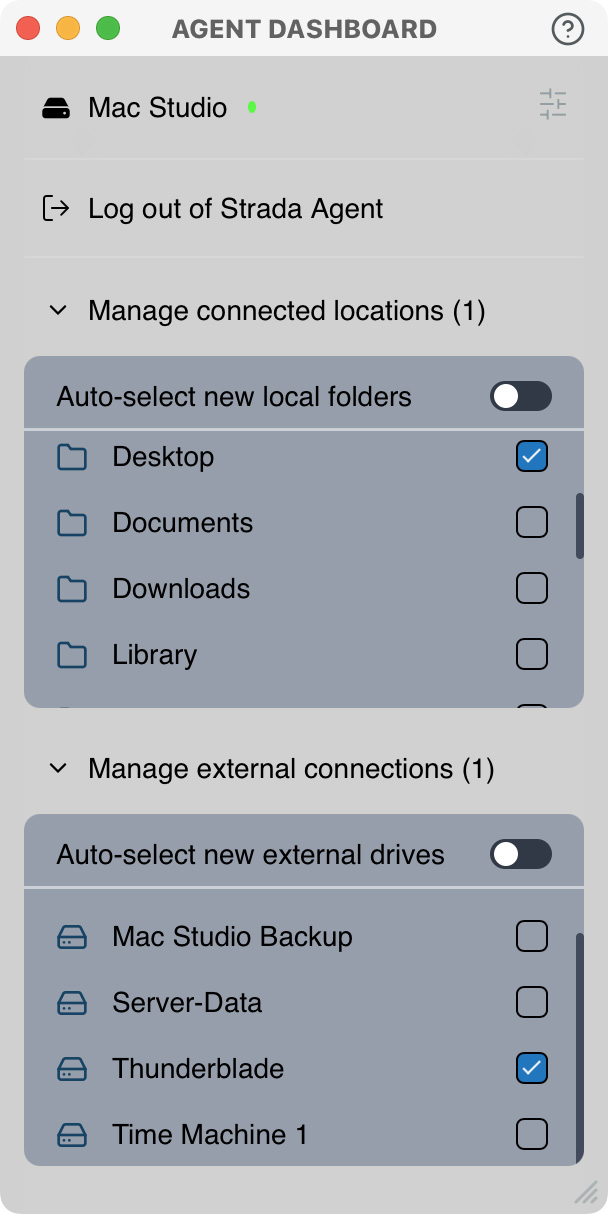
You start by downloading the Strada Agent. This system-level software provides security during file transfer and determines the local drives that you want to share with others. The agent supports Mac, Windows, iOS and Android.
NOTE: You determine which drives and folders you want to share. Access is controlled down to the folder level. So, if you have one drive with three different projects for three different teams, you can assign folder access so that each team can access the folders they need, but none of the others.
This also means that the best way to organize file sharing using Strada is to contain all project files in a single “master” folder, using as many subfolders as you need. That way, you only need to grant access to that master folder, rather than individually set privileges for a collection of folders stored across multiple drives.
This access is simple to setup – generally one or two checkboxes – and does not require graduate-level IT experience to implement.
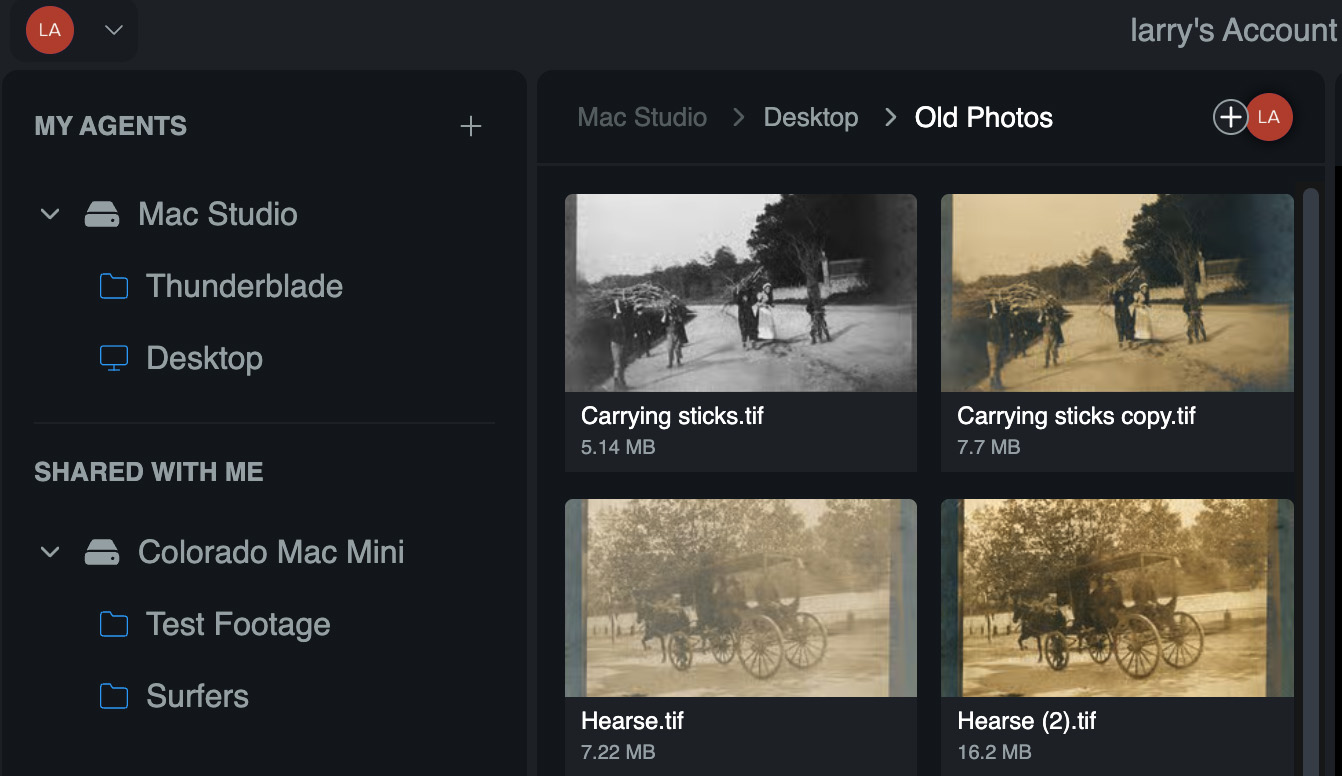
In this example, Colorado Mac Mini is located in Denver, while the Surfers folder is located in LA. My two shared drives – ThunderBlade and Desktop – are located in Boston.
You access the system via your web Browser – Chrome, Brave, or Arc, but not Safari or FireFox. When you do, you see a sidebar on the left with all the folders you are sharing on top, and all the folders you have access to below. Click any drive in the left sidebar to see its contents. Click any file to view it.
A NOTE ON GOOGLE CHROME
You access Strada using Google Chrome. I don’t use Chrome because I don’t want Google hoovering up every website I visit or article I read to feed their insatiable desire for personal information to drive their data-driven advertising.
So I asked Peter: “Why Chrome?” Peter responded saying that Apple is allowing Safari to fall behind in supporting the latest web technology, as it relates to advanced file streaming and playback. While acknowledging that Chrome wants to learn everything about you and what you do, Chrome is built on the open source Chromium web engine, which is secure and private. This Chromium engine is also available using browsers from Brave and Arc, which gives you access to the latest web technology without the privacy intrusions and data gobbling that Google is famous for.
So, the screen shots for this article were taken using the Brave Browser, which I like a lot.
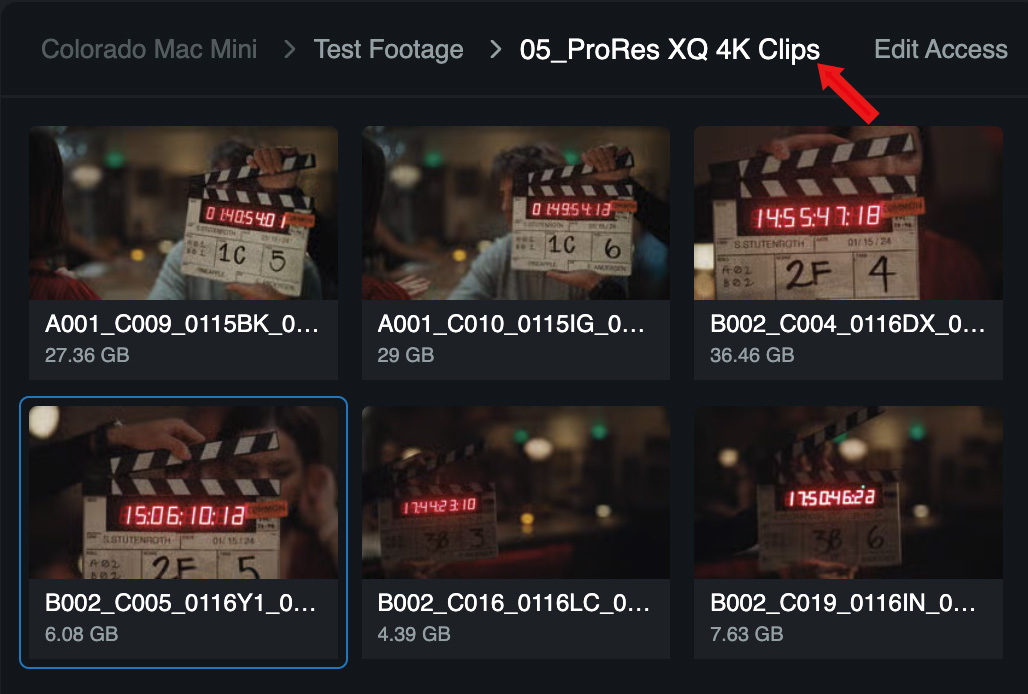
Note the file sizes below the file names.
Here, for instance, I am skimming multi-gigabyte ProRes 4444 XQ 4K clips located in Los Angeles, as easily as if I were accessing them on a local drive.
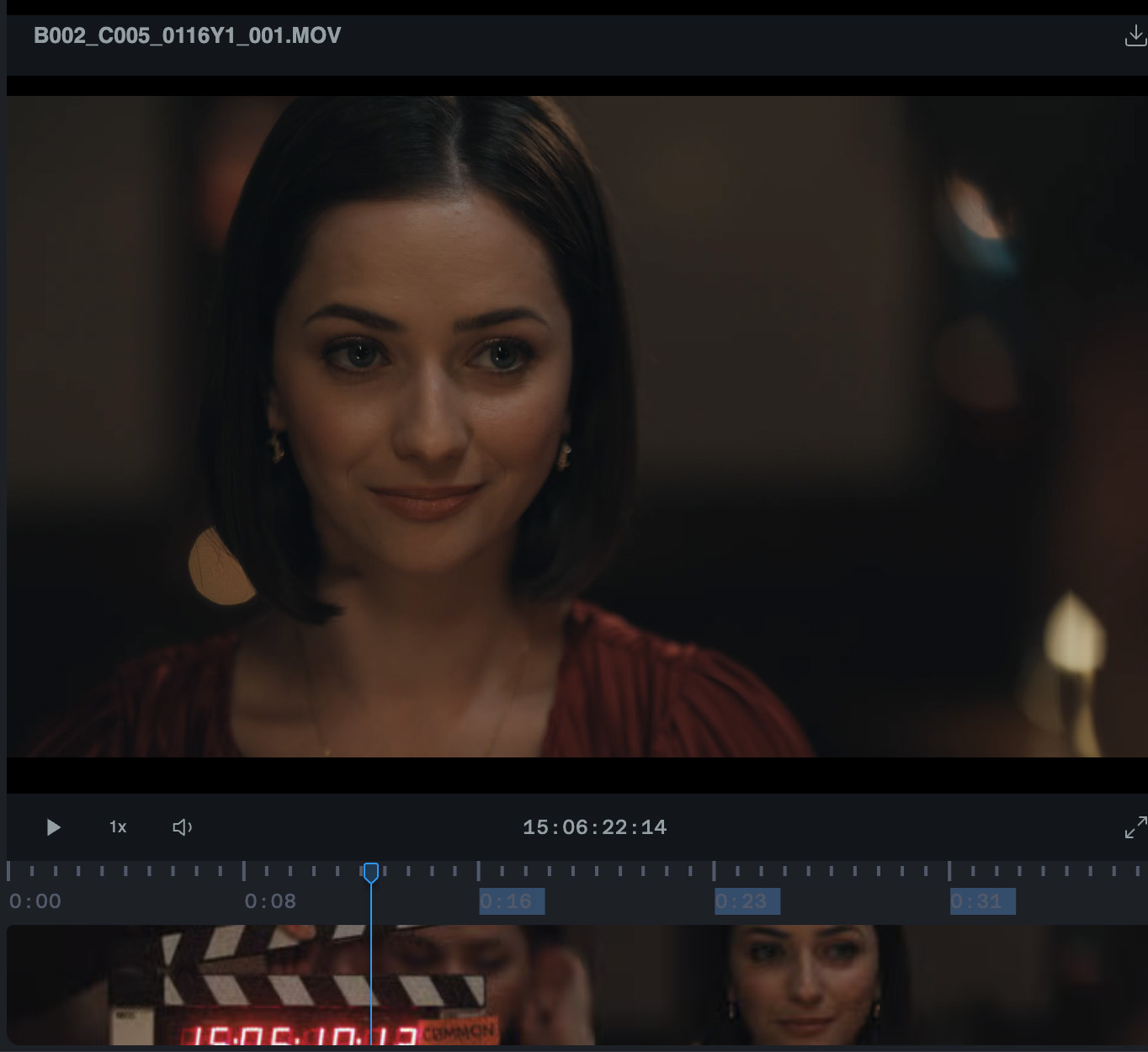
Image courtesy of Strada.tech.
Built into the Strada interface is a viewer so you can quickly – and I mean “quickly” – play or skim a clip. This screen shot is from a 27 GB clip that did not need to be downloaded before it was viewed. It also did not need to be uploaded to a server.
Strada was connecting my computer directly to the file source on the other side of the country using the open Internet and no servers.
The speed of this access – and playback – is stunning.
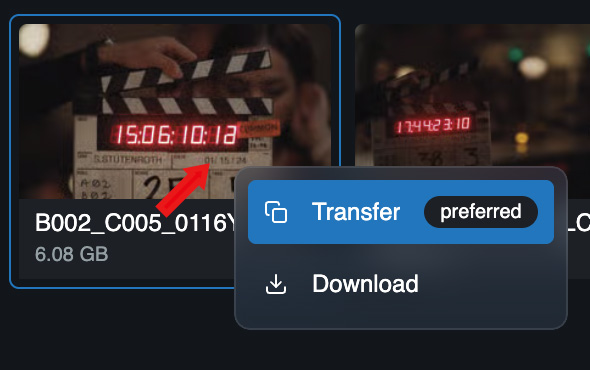
To transfer a file from wherever it’s stored to your system, right-click on the shot you want and choose Transfer.
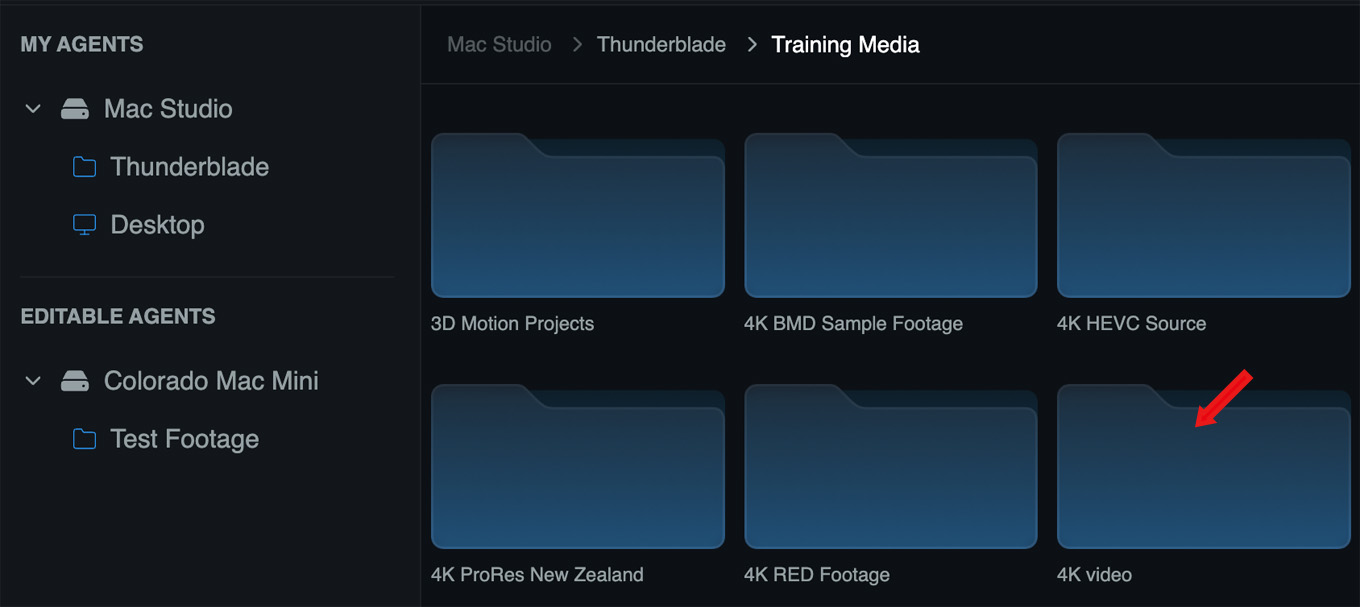
You then determine where you want that file saved on your local system…

and click Transfer.
Note what happened here! You looked across all the shared drives available from all team members, you found the file you needed, and you downloaded it. You didn’t need to get someone to upload it for you. This is far faster than the upload-then-download process of traditional file sharing networks.
And it was fast.
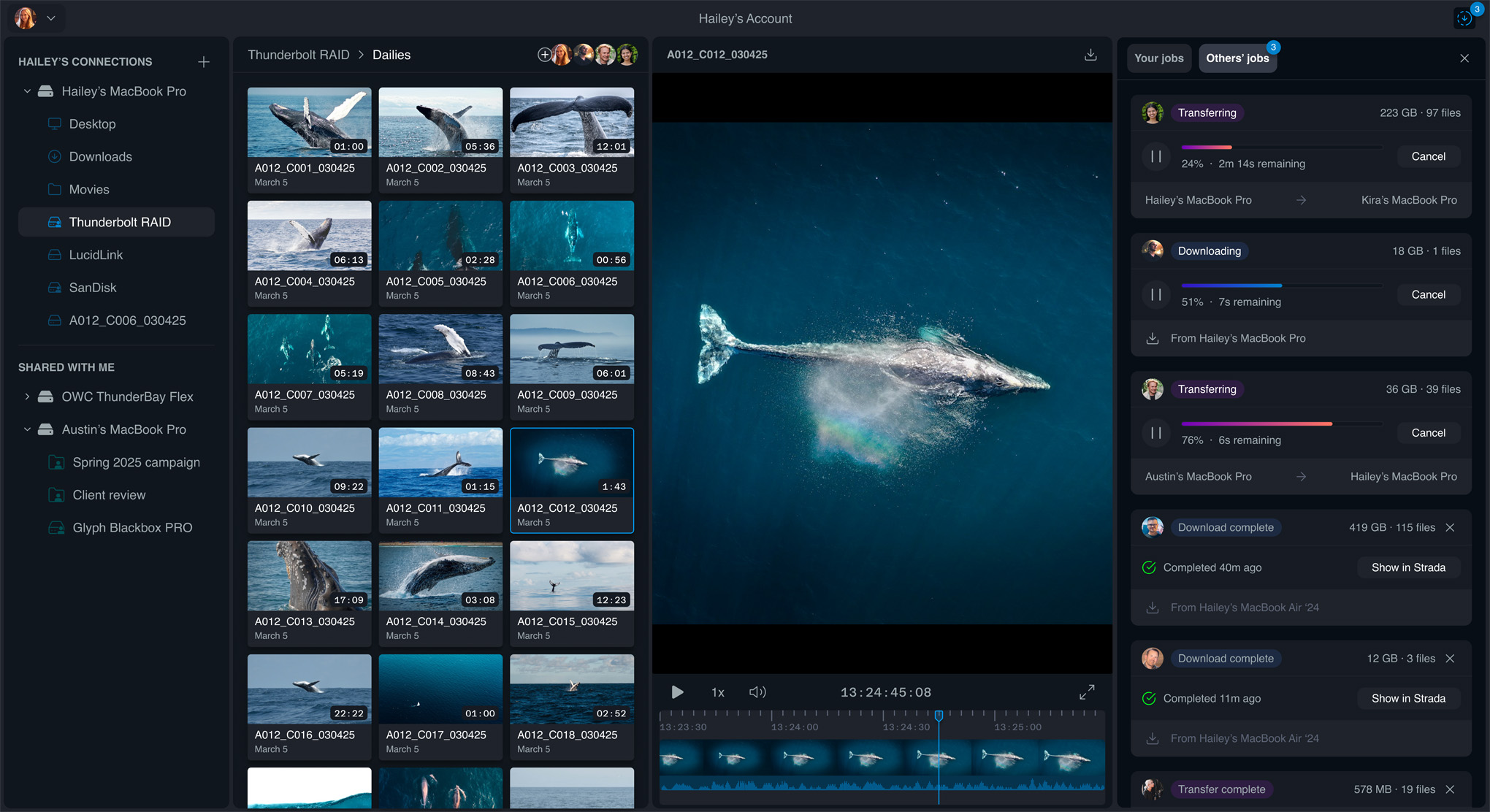
Image courtesy of Strada.tech. Click to view larger image.
Here’s an example of the full Strada interface in all its glory.
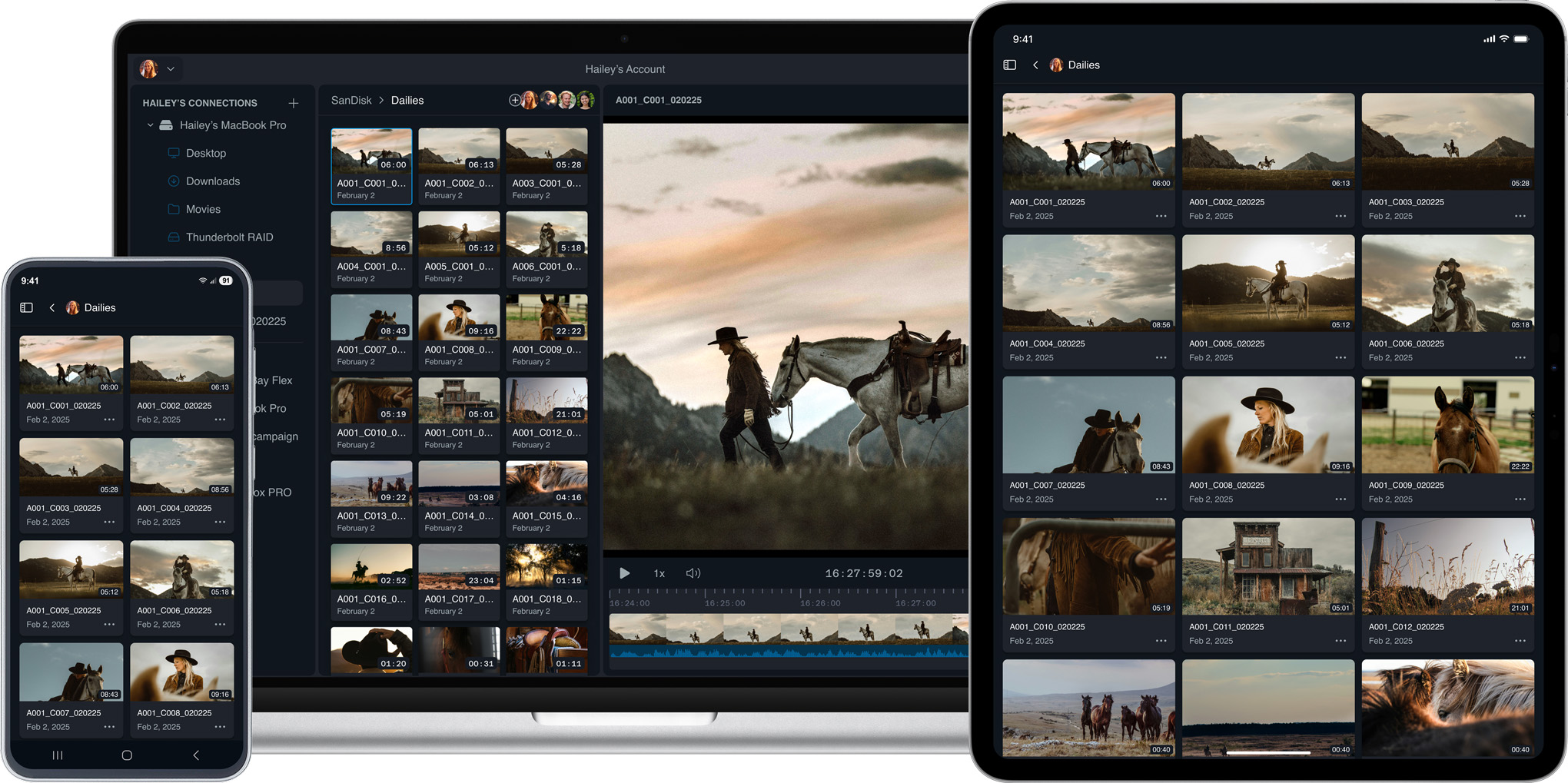
Image courtesy of Strada.tech. Click to view larger image.
The Strada agent also works on iOS, iPadOS, or Android devices. This means your iPad can do everything your Mac can do. (Or Android/Windows devices, if you prefer.)
Strada is also compatible with any storage your local computer can access: Hard drives (and SSDs), RAIDs, Network-attached storage, card readers, even Cloud volumes (like iCloud).
A NOTE ON SECURITY
When it comes to the Internet nothing is “perfectly secure.” But the security that Strada is using, as I understand it, is current state-of-the-art. All files are encrypted in transit and at rest. Files are never stored on any Cloud server.
While Strada requires login to their website to verify you are a member and setup security protocols, they do NOT store any files being viewed or transferred. There is no intermediate server storing your files, though they do store some personal data for the purposes of authentication and billing.
ANOTHER COOL FEATURE
Another thing I like is that I can publish all my local files just to myself to make them visible on my iPhone without sharing them with anyone else. This means that if I’m on the road and really, really need to see that memo I saved on my desktop system, I can quickly find it on my iPhone.
Cool.
PRICING
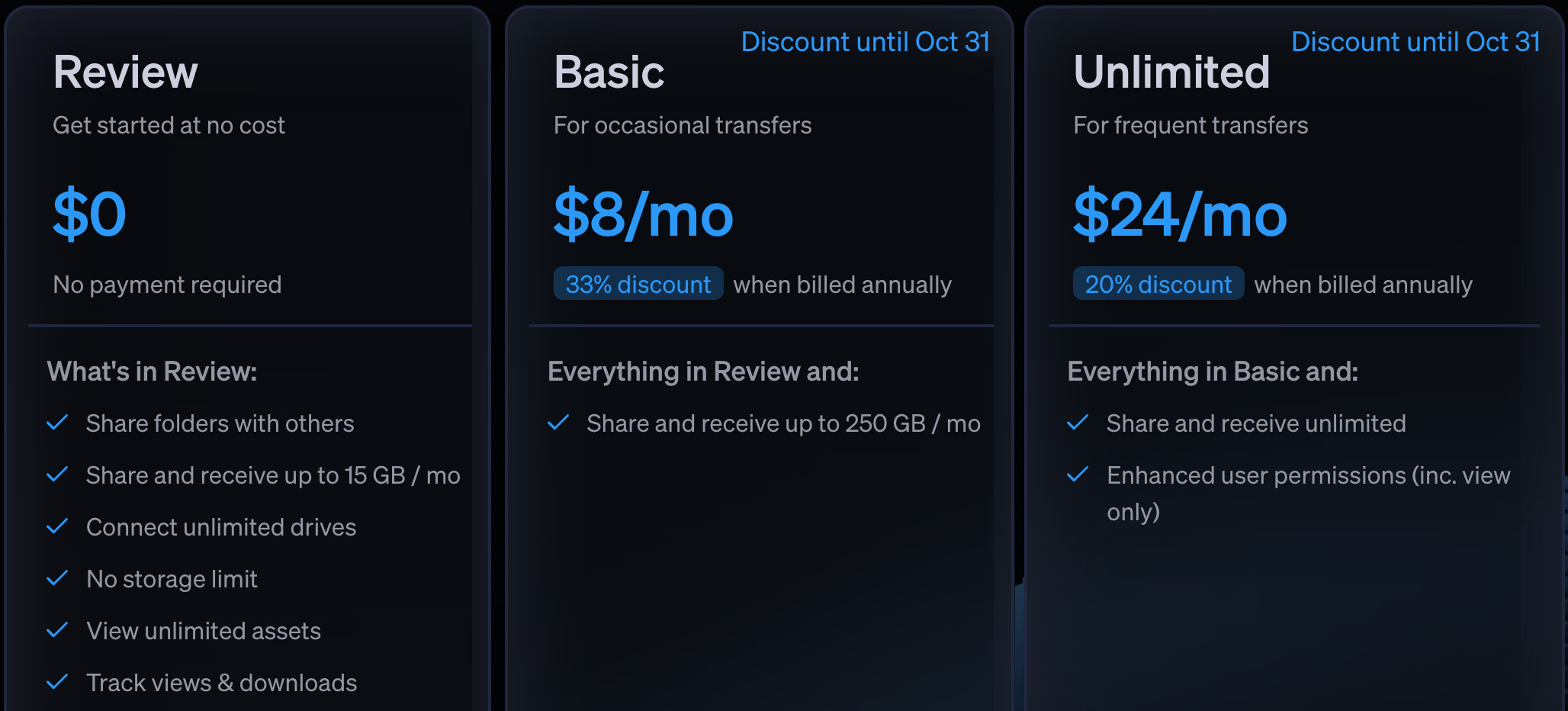
Click to see larger image.
Strada has three pricing tiers, along with a free trial offer. Notice that the basic Review level is free.
THE FUTURE
This collaborative file-sharing system is the start. Strada has publicly stated they will be releasing a license manager in early 2026. A bit later in the year will be a virtual file system where you can drag files displayed in Strada into your favorite NLE (Resolve, Final Cut, Premiere) without transferring or downloading them first! They are also planning to add built-in messaging, review, and network-wide search.
The virtual file system, as they describe it, means you could edit a video clip into your project as though it was a local file, even though the actual file was located in Cleveland.
SUMMARY
It was a fascinating conversation. Michael and Peter provided a glimpse of a future where media files don’t need to live locally to be available to teams, yet provide security so that ONLY your team knows about the content until you are ready to show it to the world.
I’m looking forward to seeing if they can actually make this happen.
Learn more at Strada.tech.



2 Responses to First Look: Strada Introduces Collaborative File Sharing Without the Cloud
This seems like a really great idea. It overcomes many of the issues of cloud collaboration. I’ve signed up for a free account and will wait for my next collaborative project to use it.
Philip:
Great news. Let me know how this works out for you.
Larry