
 I found two bugs in Adobe Premiere 25.6 but, even better, I also found workarounds. One concerns Mercury Transmit and the other with the “No Dialog Found” error when displaying sequence transcripts.
BUG 1: Mercury Transmit
When enabled, Mercury Transmit displays full-screen video on a second attached computer monitor without requiring any interface other than HDMI or Thunderbolt.
It is a very easy way to verify how your video looks full-screen, without investing in a stand-alone video monitor.
Screenshot
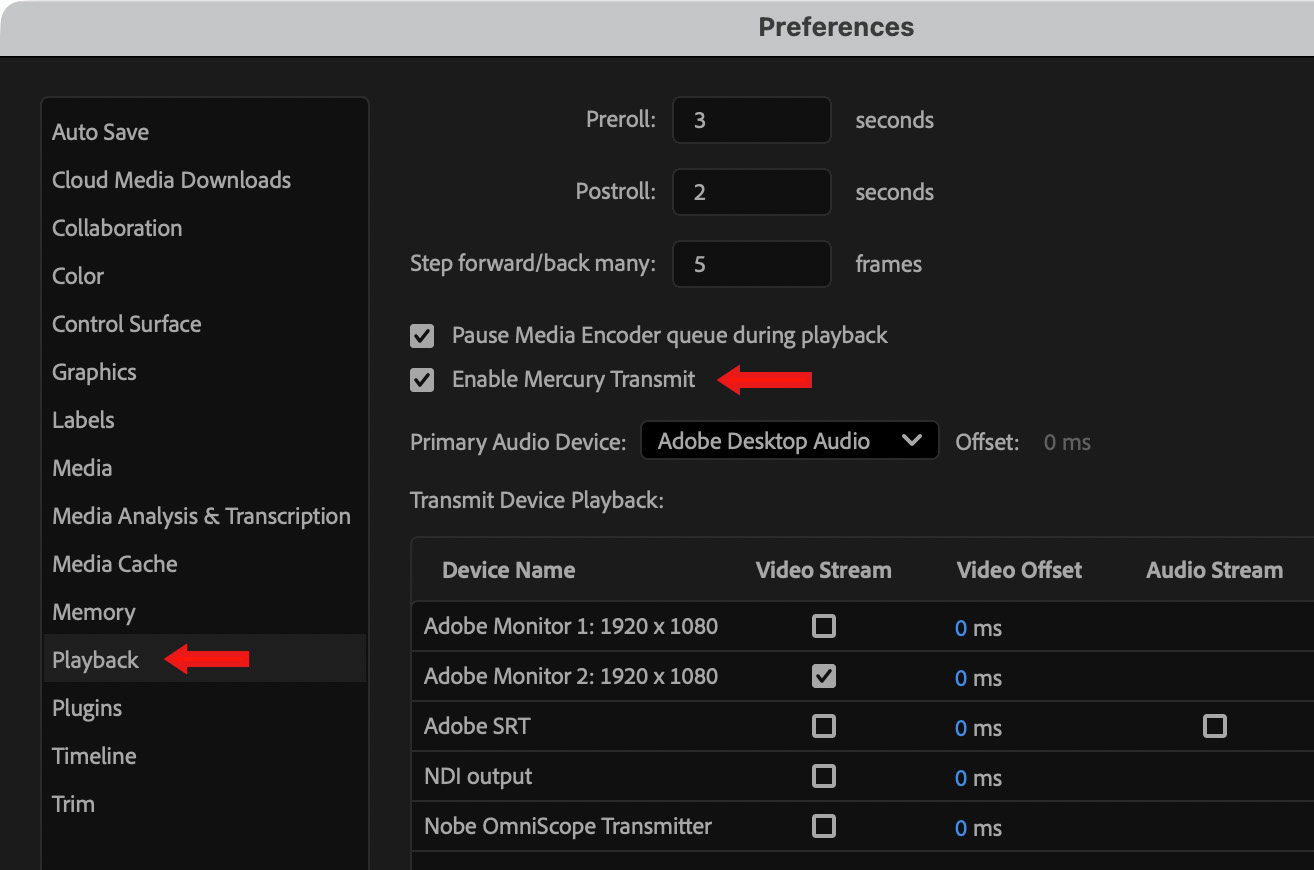
You turn it on, or off, in Premiere > Preferences > Playback (left red arrow). It’s off by default.
Using Enable Mercury Transmit checkbox (right red arrow) works fine.
What doesn’t seem to work, at least for me, is enabling or disabling this feature using a keyboard shortcut.
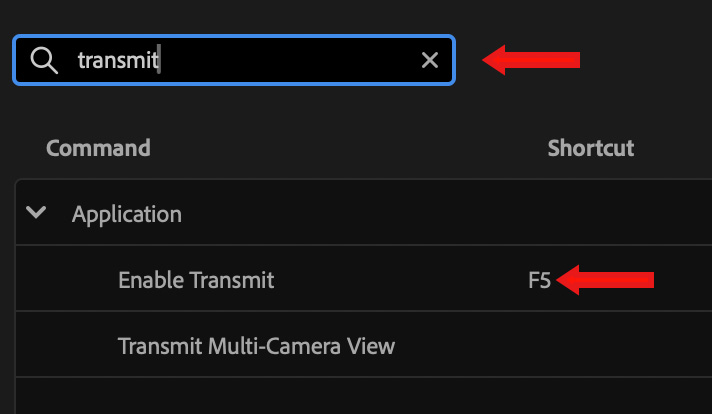
In Premiere > Keyboard Shortcuts, search for “transmit” (top red arrow). By default, no shortcut is assigned to this feature.
Assign a shortcut to this (in my example, I used F5), then you can enable or disable Mercury transmit with a quick key press.
The problem is that this shortcut, which worked great in earlier versions, doesn’t work in Premiere 25.6.
Workaround: Don’t use the keyboard shortcut. Always enable Mercury Transmit using the preference checkbox.
Bug 2: “No Dialog Found” error
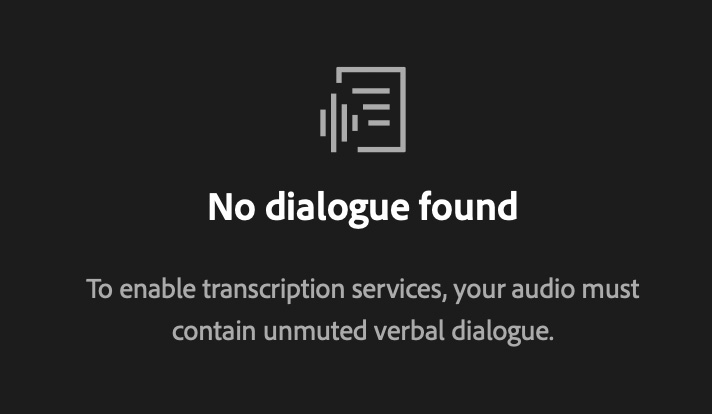
This error is especially frustrating because a transcript of a sequence exists, but, for some reason, Premiere can’t find it so it displays this error message.
This first popped up in Premiere Pro 24.x. At that time, the workaround was to convert all stereo audio to mono. That may still work here; but before you convert your audio, try this.
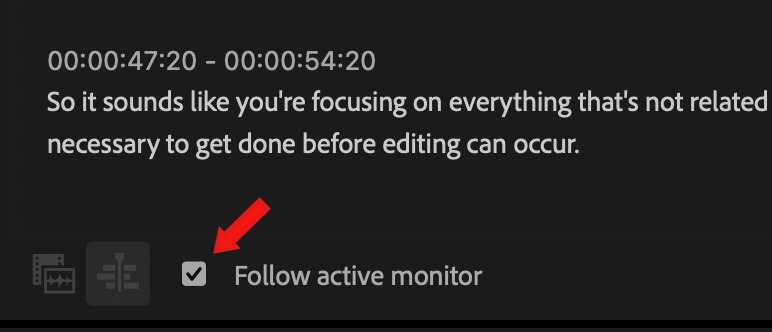
What fixed this for me is the check the Follow active monitor checkbox in the Text > Transcript panel. As soon as I did, the transcript appeared. (This checkbox is off by default.)


