
 Great question. But to understand the answer, we need to go back in time (so to speak).
Timecode is what makes precision video editing possible. Without a precise address for every frame of video, editing would be essentially random.
Fortunately, many decades ago, timecode was invented to solve that exact problem. With timecode, each frame was given a timecode reference unique from every other frame in that clip.
NOTE: Film actually began this process when Kodak numbered every frame of negative film. These “edge numbers” were used to match and convert the workprint edit, created by the film editor, into the negative master, created by the negative cutter, which was then used to create distribution prints for theaters.
In “those early days,” video was not stored on servers, but magnetically on video tape.
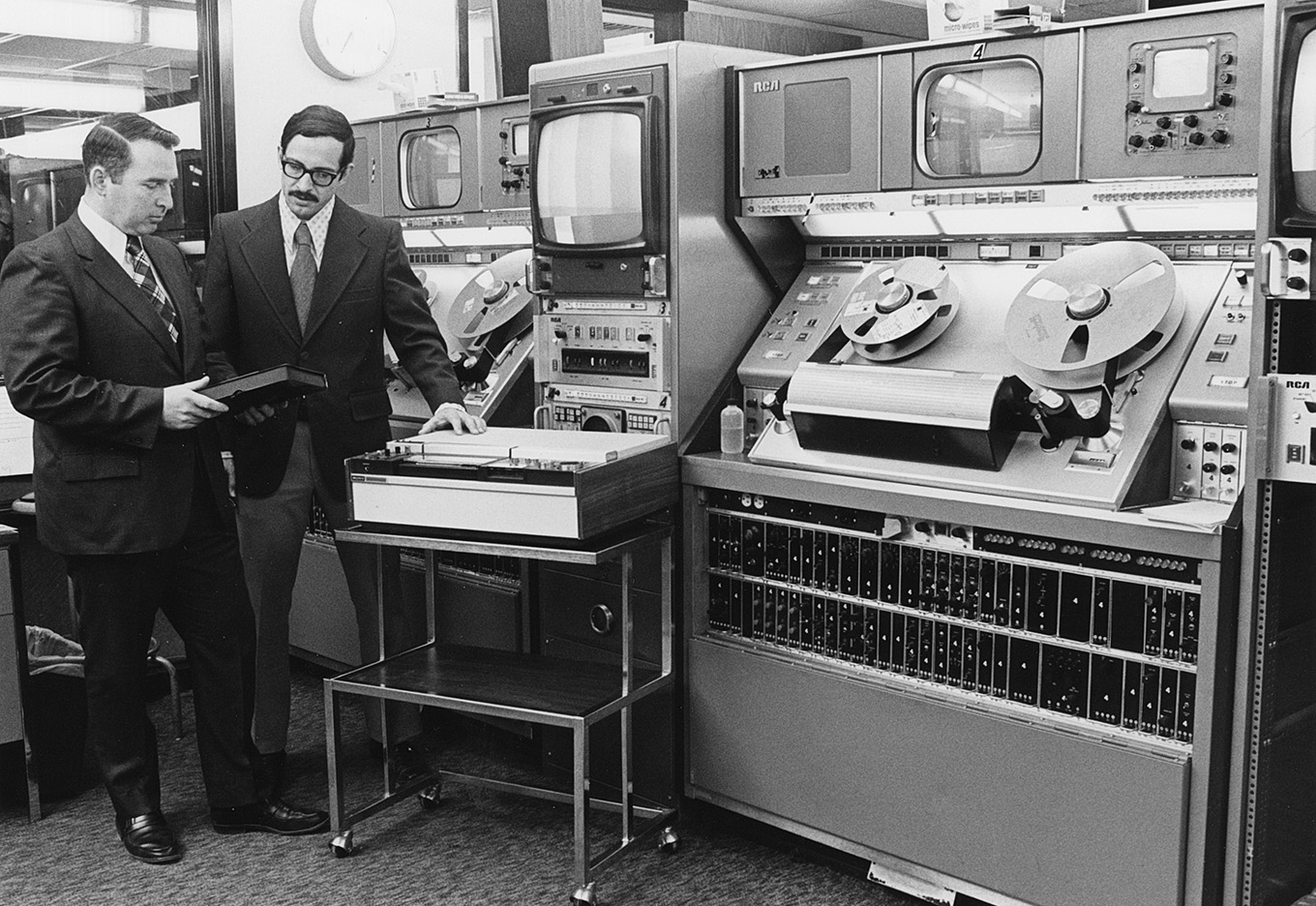
Two 2″ quad RCA TR-70 video tape machines at WHA-TV, Madison, Wis. in 1974. Dave Graham, Chief Engineer, on left. The other engineer is resting his hand on a Sony U-Matic 3/4″ video cassette deck. These were used for off-line review and editing. Dave is holding a 3/4″ video cassette box.
Those giant video tape machines, manufactured by RCA (above) or Ampex, cost upwards of $250,000 each (about $1.8 million in today’s dollars), and we needed three of them to edit!
Each weighed 1,800 pounds and held reels of 2″ wide magnetic tape, weighing 15-20 pounds per reel. The tape traveled through the system at 15 inches per second. (All, I might add, to record or playback an SD signal!!) Video, audio and timecode were each recorded in their own horizontal “stripe” along the length of that 2″ tape.
(Um, no, I haven’t forgotten about timecode… be patient.)
These reels of tape were so heavy that it took several seconds to get them running at full speed. Even more challenging, every tape machine needed to be calibrated before playing or recording each tape.

Color bars for standard definition color television.
These provided very specific video scope settings used for calibrating playback.
To do that, we would record 60 seconds of color bars and audio tone (“bars & tone”) at the beginning of each tape, followed by ten seconds of black, ten seconds of a slate to identify the contents of the tape, followed by a countdown from 10 to 0, which would be used for cuing.
2″ tape machines would generally take eight seconds to get up to speed, which meant we need to start playback (“roll tape”) eight seconds before it went on air. (Film islands took three seconds, 1″ machines took about a second, and servers, today, are instantaneous.)
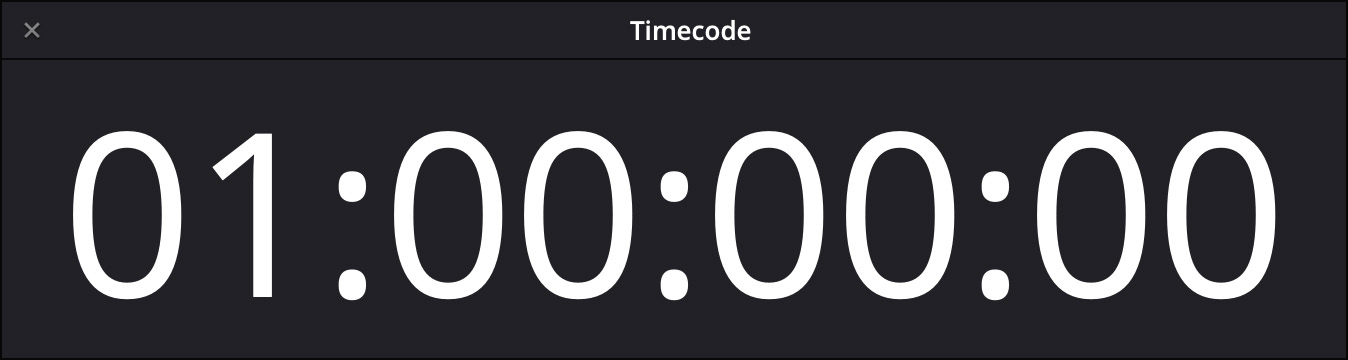
OK, back to timecode. Because all video tape used timecode to figure out where it was, if the program started at 0:00:00:00, that meant that the engineering calibration material (which ran a minute and a half), would be recorded at timecode 23:58:30:00.
But… there’s no way a simple timecode sensor could understand that 23 hours came BEFORE 00 hours.
So, to solve this conundrum, all video tape would record pre-show material starting at 00:58:30:00, with program starting at 1:00:00:00.
NOTE: In those days, all new tapes were “burned in” (recorded with timecode, black video and silent audio) before being put into service. The job of tape engineers at night was burning-in (also called “burnishing”) the tapes needed for production the next day.
Today, where video playback runs off servers – even for broadcast – while there is still a critical need for timecode, there’s no need for that pre-show calibration material because servers don’t need calibration. So, all current NLEs default to a starting timecode of 00:00:00:00.
NOTE: While there is often a need in production to record slates and color references before each camera shot, where the timecode starts for that recording doesn’t matter.
However! If you ever need to set starting timecode to a different number, you can. Here’s how.
FINAL CUT PRO
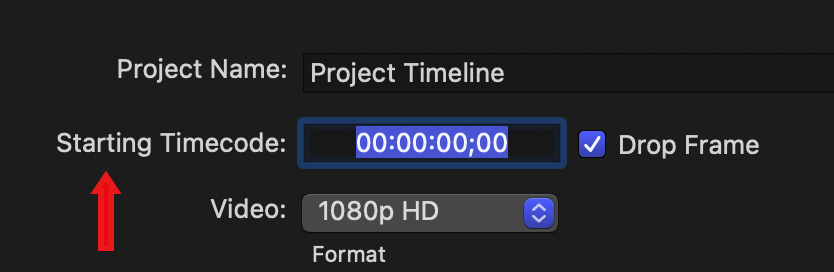
In Final Cut, open Project Settings and change the starting timecode to the number you want. While it is traditional for timecode to start on the hour, you can actually have timecode start at any number you want.
NOTE: Keep in mind that if you change timecode for a video that has subtitles, those subtitles will lose their timecode reference to the video.
PREMIERE PRO
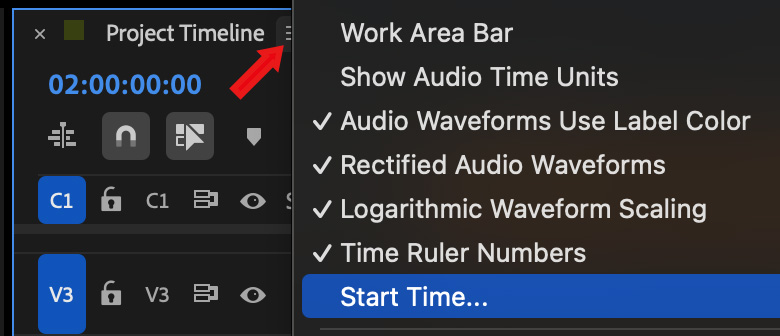
Open any sequence into the timeline and click the “three hamburgers” next to the sequence name (red arrow).
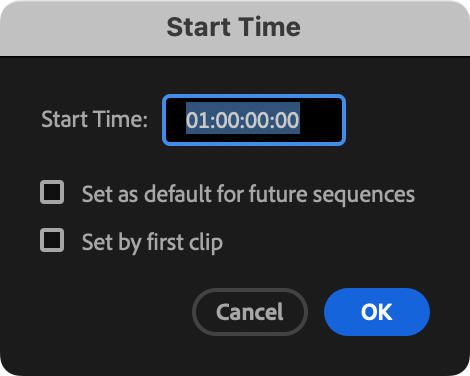
In the Start Time dialog, change the starting timecode.
DAVINCI RESOLVE
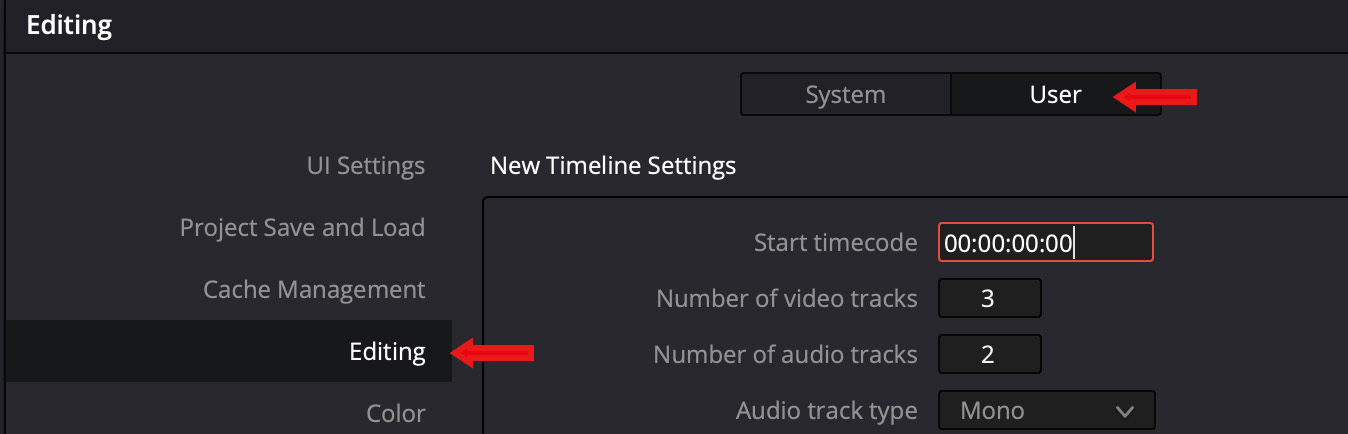
To change the default timecode in Resolve, go to DaVinci Resolve > Preferences > User > Editing. The default timecode is project based.
SUMMARY
It is certainly easier watching video with instantaneous playback, and, today, all our video gear is massively smaller. Still, there was something magical about walking through a machine room filled with those huge, noisy, custom air-conditioned machines with tape spinning madly through them and seeing the magic held on those magnetic tapes.
Though today’s technology is so much superior in every possible way – I truly do miss those old machines. Still, I’m glad I don’t have to go back.



19 Responses to Why Does Timecode Sometimes Start at 1:00:00:00 and Should It Start There Today?
← Older Comments-
 Ron Matchett says:
November 20, 2025 at 3:14 pm
-
 Larry says:
November 21, 2025 at 10:29 am
← Older CommentsWhere I worked in the mid 80’s we called it “Striping the tape” so that you could do insert edits with video only over the VO. I hated to run commercials on those 2″ Quads at the TV Station because I could never totally tweak out the banding using my “greenie” that the engineer gave me. Lol!
Ron:
Yeah, those “greenies,” small plastic screwdrivers for tweaking pots (potentiometers) inside the logic cards were critical, because metal screwdrivers would magnetically mess with the settings. Banding was a fact of life – all we could do was minimize it, then hope it didn’t drift during playback.
larry