
 I needed to purchase a second document scanner. I was starting to process a lot of physical paperwork and needed another unit for a second desk.
I am a very happy user of a ScanSnap S1300i scanner, so I looked there first. Only to discover that FujiFilm had discontinued it.
Sigh…
My web searches uncovered that Brother makes the Brother DSMobile DS-7400 document scanner. I like Brother printers, and the scanner’s reviews weren’t bad, so I bought it.
EXECUTIVE SUMMARY
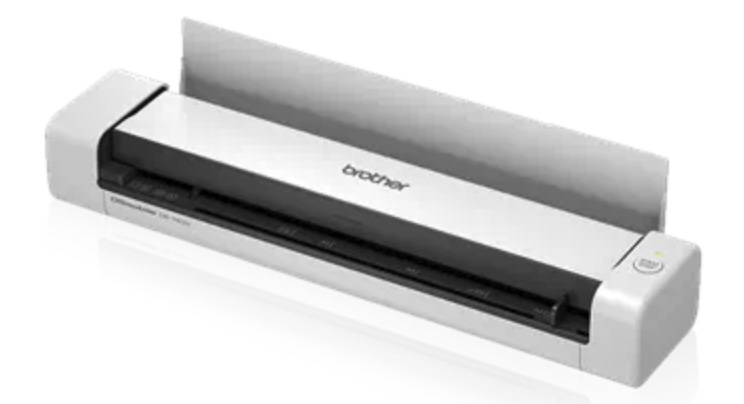 The Brother DSMobile DS-7400 document scanner is a good scanner as long as you are scanning heavy paper or card stock. The images it creates in either color or black-and-white are fine, not as good as a flat-bed scanner, but for most office uses they are OK.
It isn’t a bad scanner, but its paper handling drives me nuts. Feeding a single sheet of paper – which is all it will accept at one time – is slow, finicky and will frequently put creases into the paper during the scan.
Manufacturer: Brother
Model: DSMobile DS-7400
Website: https://www.brother-usa.com/products/ds740d#carouselThumbnail
Price: $169.99 MSRP
THE DETAILS
Most scanners today fall into three categories:
The DS7400 falls into the first category. It takes a single sheet of paper and converts both sides into a single 2-page PDF in a single pass. It connects via USB, weighs 1.5 pounds, and can scan up to 16 pages per minute, though you will never be able to feed them into the unit that quickly. At best, you’ll probably be able to manually feed two pages a minute.
The unit has two parts:
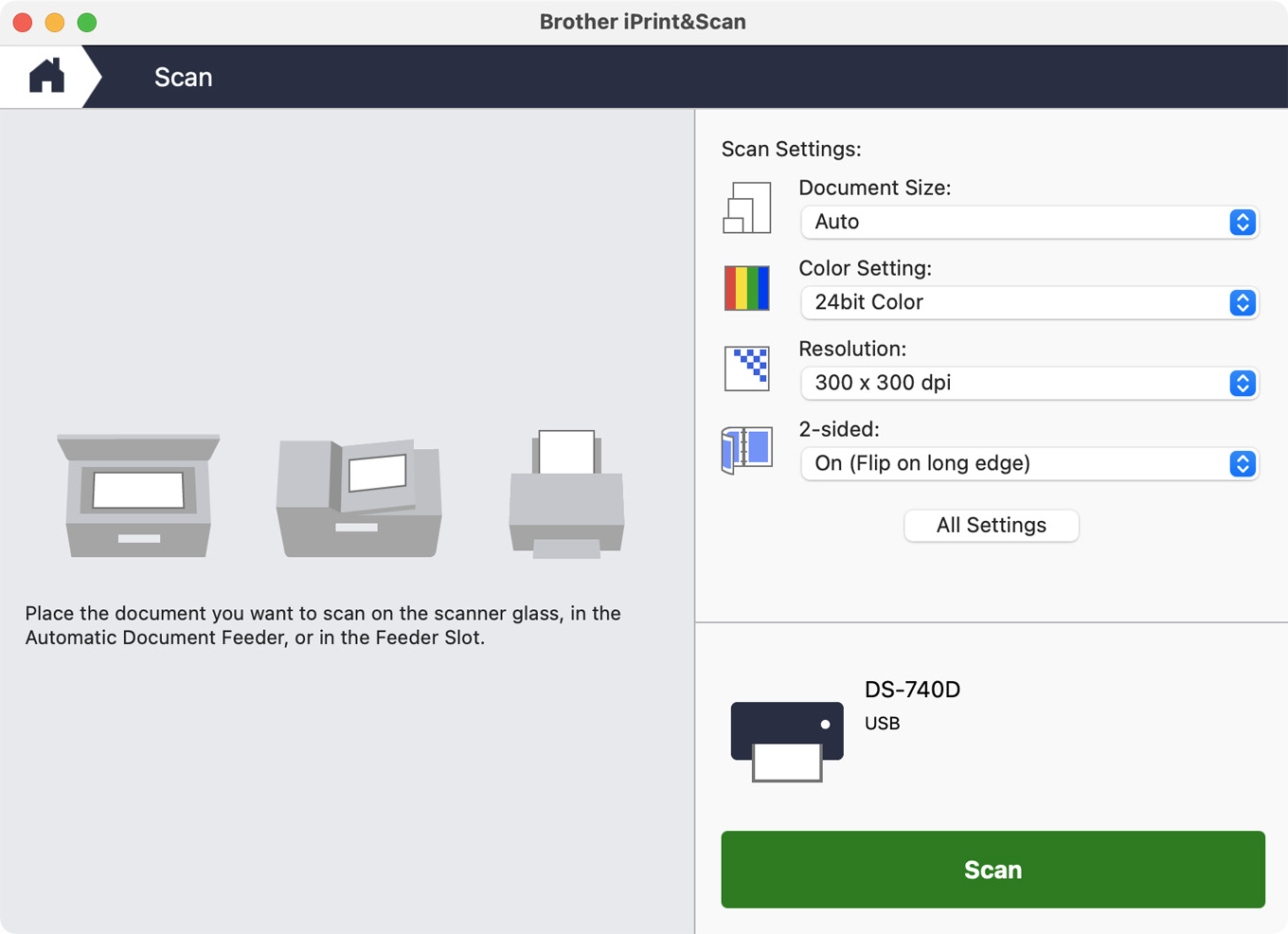
Although this software is supposed to be freely available from the Mac App store, none of the downloads I got from there worked. It ultimately took a few days of working with tech support to download a version from the Brother website that worked successfully on a Mac. (I don’t have Windows, so I can’t speak to the Windows version of the software.)
The scanning software is rudimentary, but sufficient for most business scanning.
You need to keep it actively running for the scanner to work. Running it as a background process doesn’t work reliably – you need to start the app, then hide it. Not ideal, but I could live with it.
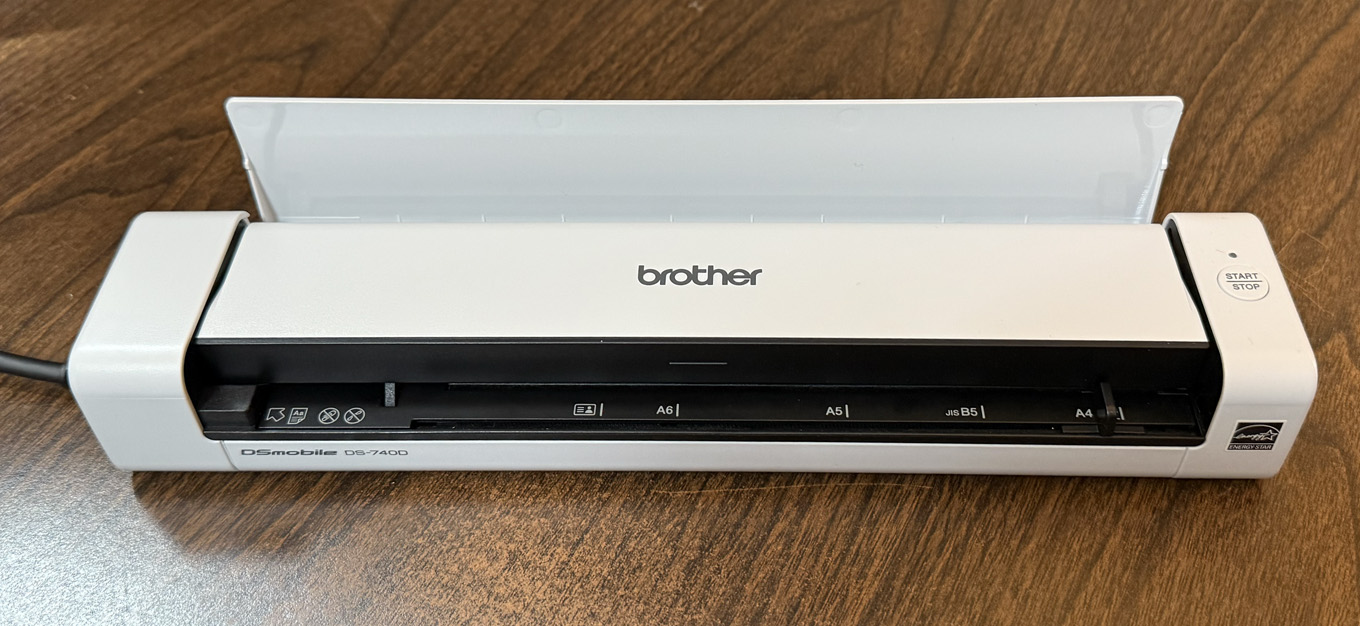
A neat feature of the scanner is a flip-up plastic guide that routes paper coming out of the scanner straight up so that you can put this unit next to the wall and still use it for scanning.
That was a very clever idea.
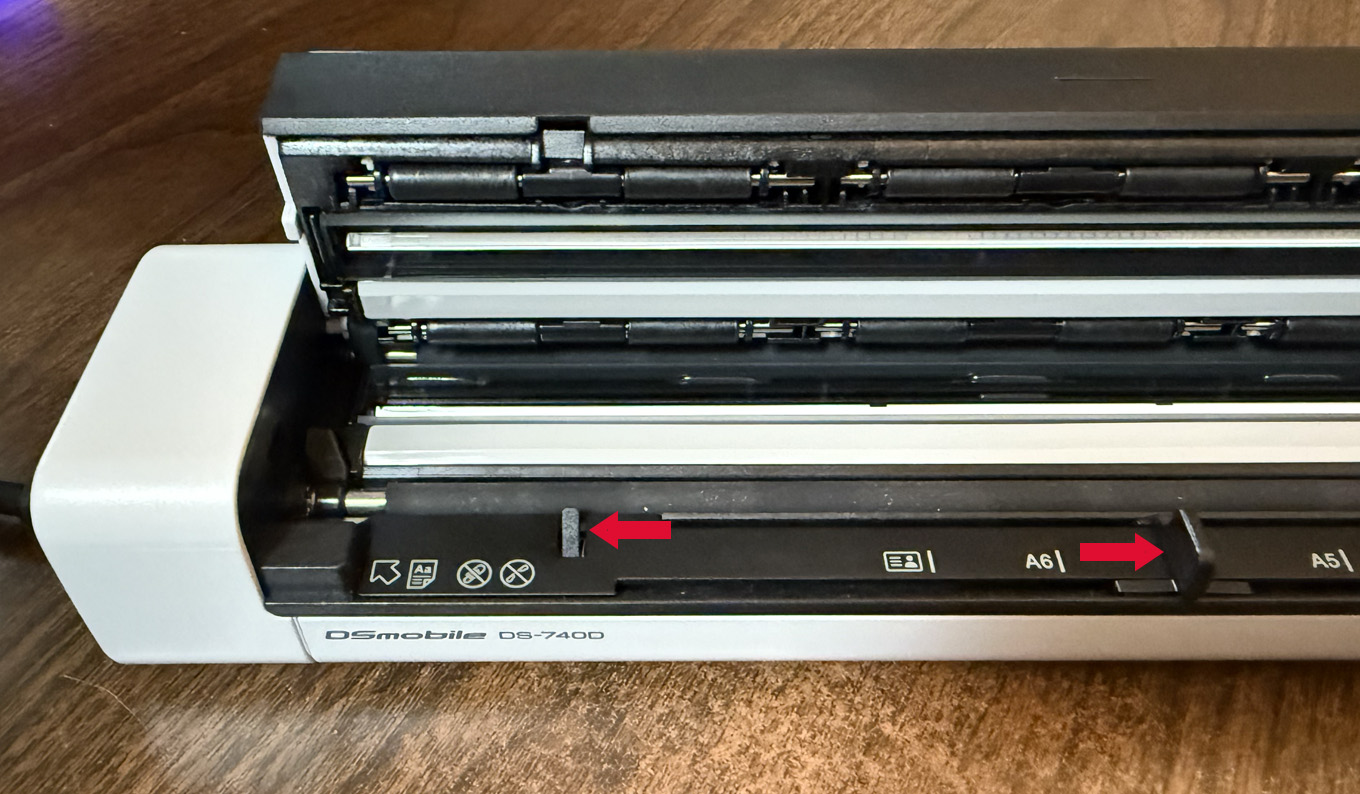
What is NOT so clever is paper-handling. On the front left side is a pressure-sensitive switch that senses when paper is inserted into the front (left red arrow).
The problem is that inserting a single sheet of paper, such as you would use for printing just about anything, is not enough to depress the switch. So you need to find a way to stiffen the paper, then fiddle with it enough to trigger the sensor.
This doesn’t start the scan, though. To do that you next need to press the Start/Stop button on the right side. Which won’t do anything if the Brother iPrint&Scan software isn’t running.
There’s no indicator that shows when a sheet of paper is properly inserted and sensed.
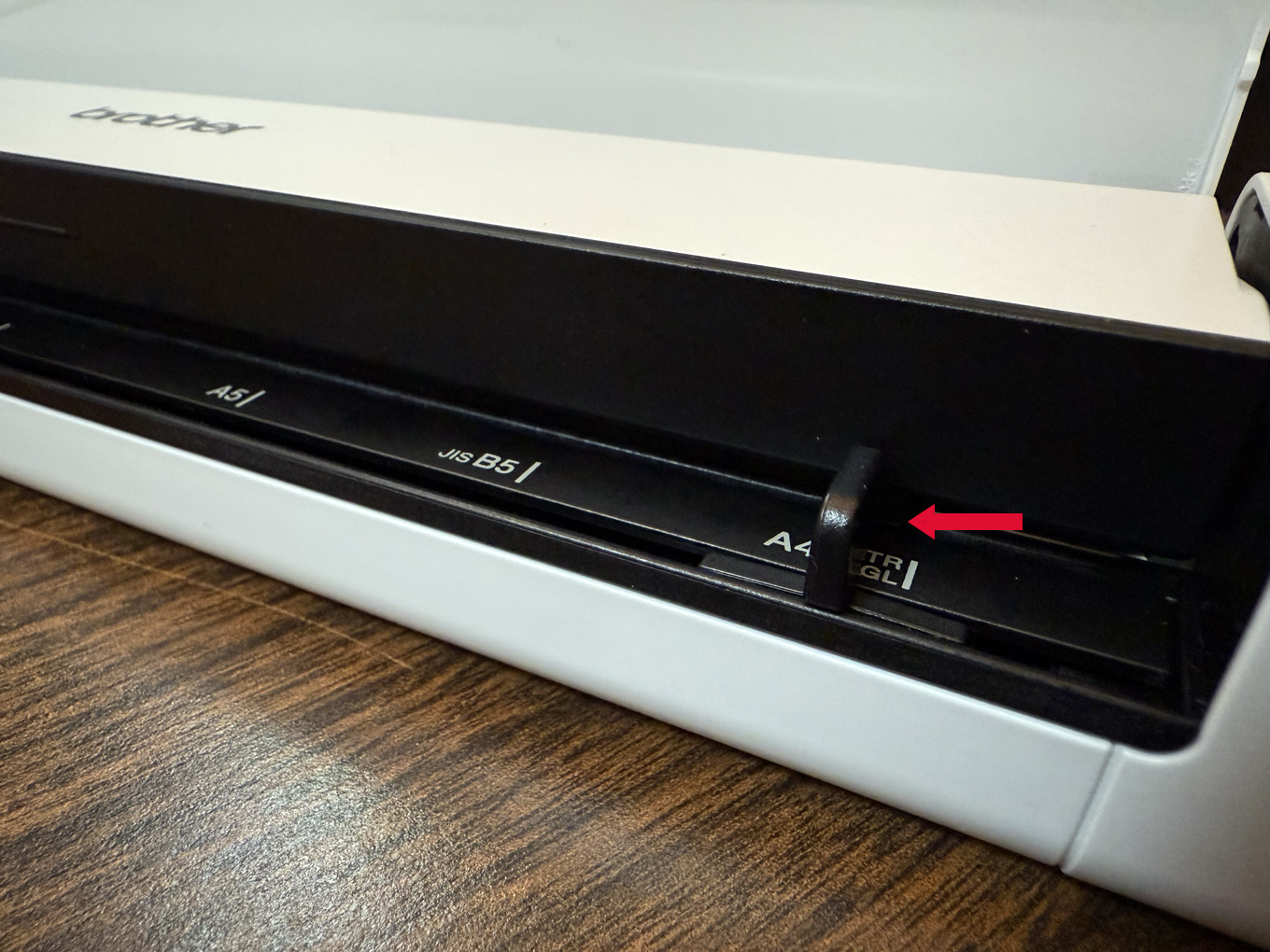
But, here’s the worst part. Paper comes in difference sizes, so there’s a plastic guide on the right side (red arrow) that you slide to match the paper width. This then guides the paper smoothly into the scanner during the scan.
However, unlike the paper sensor, which requires a strong force to actually recognize that a sheet of paper is inserted, a slight breeze will throw the paper guide out of whack.
I can’t tell you how many sheets started going in straight, then the guide moved, the paper shifted and creases started appearing.
A decent scanner at a small size that works next to a wall is good. But most of the time (meaning not always but way more than 50%) the paper skews, then gets crunched and creased.
NOTE: The DS-7400 is a single sheet feeder. Each piece of paper needs to be manually fed, one at a time. Which makes this finicky paper sensing and skewing issue especially frustrating.
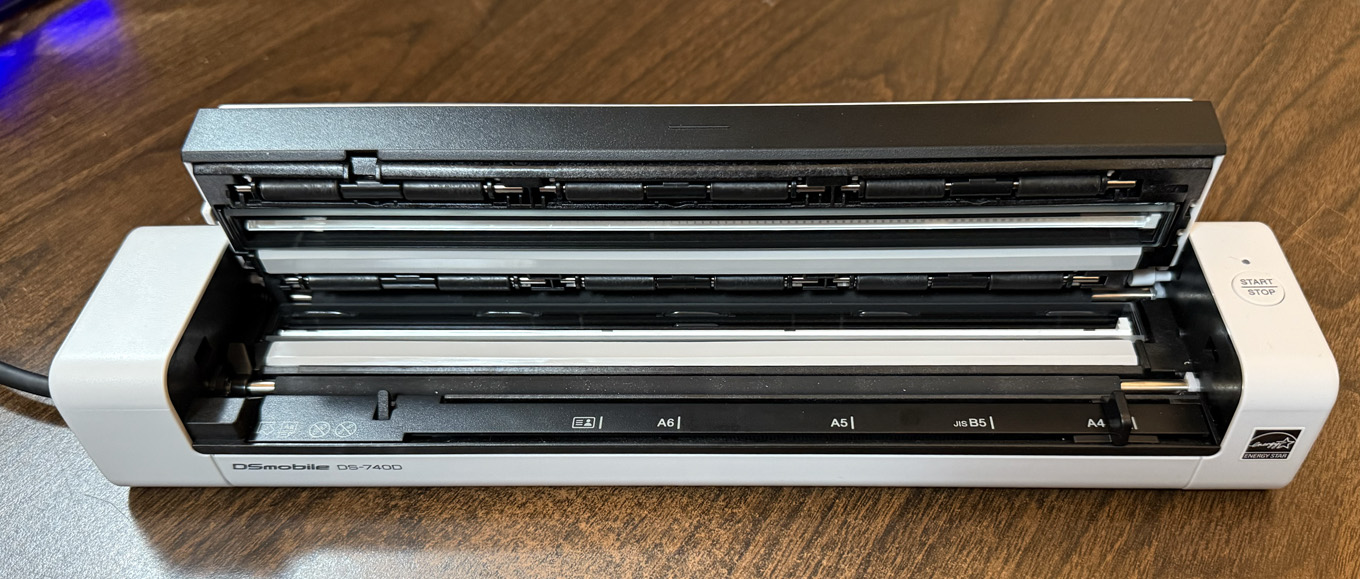
It is easy to fix a paper jam by raising the top, though how to raise it is not clearly documented in the User Guide. (Answer: grab the top and pivot up – hard.)
SUMMARY
If you are working with business cards, card stock, or other heavy paper, I suspect this unit will be fine. The quality of the scans are fine for business, though a flat-bed scanner with good software will provide higher-quality archival images.
But for plain paper, especially if you are in a hurry, you are going to spend way too much time fighting the paper feed than getting scans done.


